
Your photos,
the Picasa way.
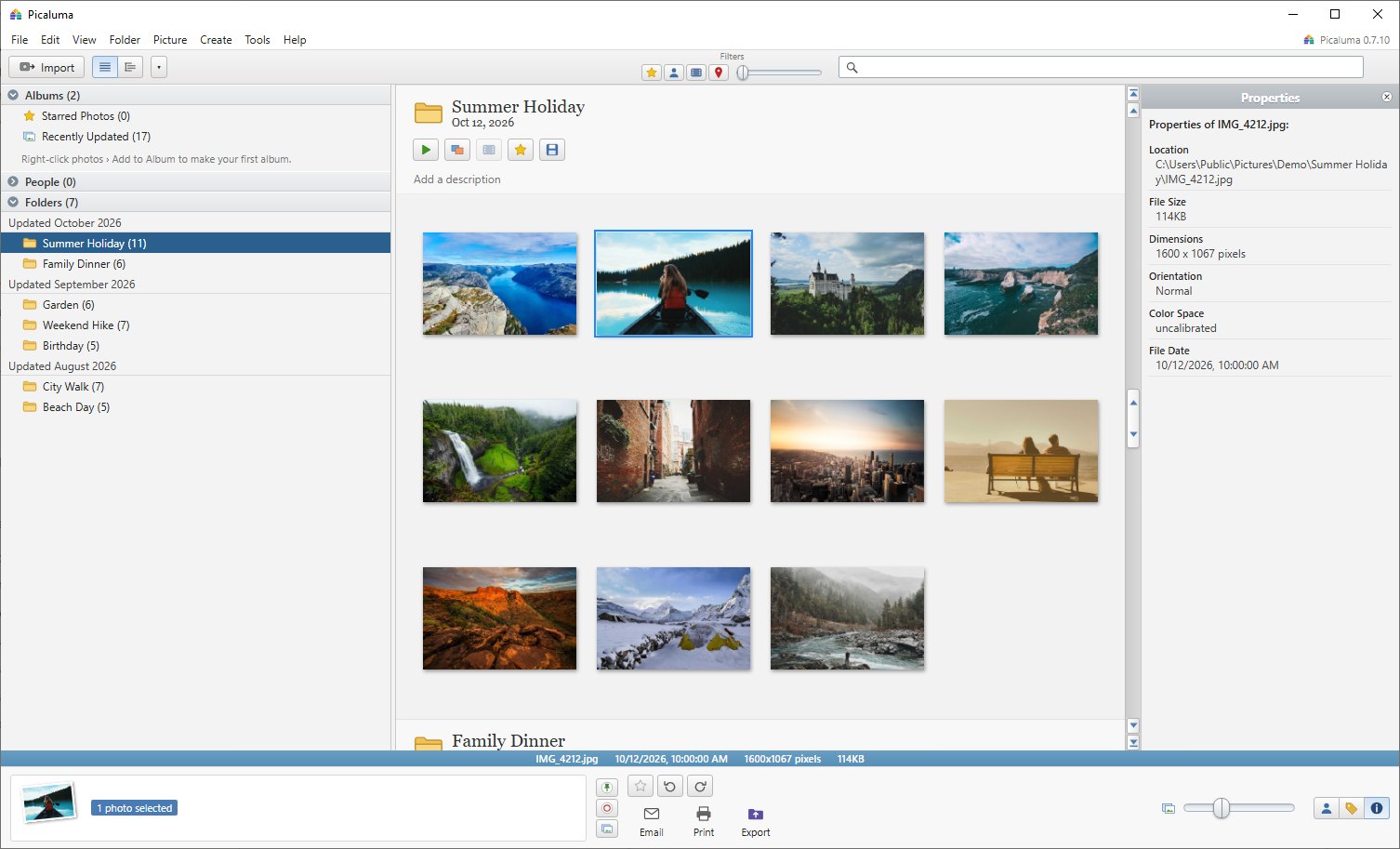
A free photo organizer and editor for Windows, Mac and Linux. Every folder on one page, instant search, one-click fixes. Your originals are never touched.
Free and open source. Also for 32-bit Windows and for Linux as an AppImage or .deb.
Everything you loved about Picasa
We loved Picasa. It was fast, simple and kept your photos on your own computer. When it was retired in 2016, nothing quite replaced it, so we built Picaluma: an independent, open-source app inspired by Picasa and written from scratch for today's Windows, Mac and Linux.
- Instant search
- Results appear as you type, across file names, folders, captions, tags and cameras.
- Every folder on one page
- Scroll your whole library, newest first, or browse it as a folder tree.
- One-click fixes
- I'm Feeling Lucky, crop, straighten and 30 effects. Undo any of it, any time.
- Email, print and export
- Resized copies for email, print layouts and contact sheets, watermarked exports.
- Cloud drives welcome
- OneDrive, Google Drive, Dropbox and NAS folders, without downloading everything.
- Private by design
- No account, no upload, no subscription. Your photos stay on your computer.
- Runs on older computers
- Windows 10 and 11, 64- or 32-bit, Intel and Apple Silicon Macs from macOS 10.15, and Linux. Light on memory, and it doesn't need a graphics card.
- Watches your folders
- New photos appear by themselves within seconds, with no rescanning.
- Photos, RAW and movies
- HEIC from iPhone, RAW from every major camera, AVIF, Photoshop files and movies, alongside JPEG and PNG.
- People
- Faces found and grouped on your computer. Name someone once and Picaluma finds them everywhere. Your Picasa name tags come along. The face models (39 MB) download once, only if you say yes.
Over 700,000 photos listed in under 12 minutes, searched in milliseconds.
Tested across local, external, network and cloud drives.Install
Windows
Run the installer. If Windows says it protected your PC, choose More info, then Run anyway.
Mac
Open the .dmg and drag Picaluma to Applications. It's notarized by Apple, so it opens like any other app.
Linux
Make the AppImage executable and run it, or install the .deb with your package manager.
On a Mac you can also install from Terminal:
curl -fsSL https://ahmok.com/picaluma/install.sh | bash